Digi Diary Archive: Forest-Coded Lyric Video Footage (Creator Library Guide)
Digi Diary Archive is the most "warm" collection in Epitrite's Creator Library. Where Darkframe53 is night and city, where Backroomsxcore is liminal hallways, Digi Diary is the opposite — golden hour, forest, water, soft outdoor light. The whole archive shares a recognizable color palette: green, gold, natural-warm, with very little harsh contrast.
If your song wants to feel like sunlight, this is the collection.
What's in the Archive
Roughly 80 clips and stills, organized loosely around outdoor / nature themes:
- Forest stills (long shots, tree closeups, dappled light)
- Water (creeks, lake surfaces, rain on leaves)
- Sky (golden hour, dusk, drifting clouds)
- Hands / objects in natural light
- Animals (occasional — deer, birds, dogs)
- Wildflower / field / meadow footage
- Long horizon shots
Mix of photo and video, with photos slightly more represented. Most clips are short — 5-15 seconds, designed to loop cleanly.
Color Palette
This is the thing that makes Digi Diary distinct. The archive's clips share an internal logic:
- Dominant greens (forest, leaves, moss)
- Warm golds (sunlight, autumn leaves, golden hour)
- Cream / cream-white (sky, sunlit surfaces)
- Soft brown (tree bark, earth tones)
- Almost no neon, no cool blues, no harsh black
When you mix multiple clips from this collection in one lyric video, they don't fight each other. The colors compose naturally. This is the curatorial value.
Template Pairings
Not every template benefits equally from Digi Diary. The best matches:
Home Movie (perfect match)
The Super-8 frame loves outdoor footage with natural light. Digi Diary's golden-hour clips inside the Home Movie sepia grade is one of the strongest single combinations Epitrite produces. Pick any forest still as the inner video, set the date stamp to a specific year, and the template carries the song.
Slideshow (strong match)
The 5-slot carousel. Pick 5 Digi Diary clips that share light direction (all morning, all golden hour, all overcast) and the slideshow flows. The italic Playfair lyric over the warm photography is the bedroom-pop go-to.
Country Postcard (strong match)
The aged cream postcard wants nature footage. A Digi Diary clip of a meadow or creek inside the postcard reads as authentic mailed-from-the-country.
Notepad (background texture match)
Notepad's yellow legal-pad doesn't take full-frame video, but using a Digi Diary still as the background-behind-the-pad texture works. Slight blur on the still, paper layered on top.
Mixtape (less strong but works)
The Mixtape J-card is mostly static, so the inner cassette video carries the motion. Digi Diary doesn't have cassette footage, but you can upload a Digi Diary still as the secondary BG behind the J-card for warm context.
Pinterest Feed (mix it in)
Pinterest Feed's 16-pin masonry can absorb 5-8 Digi Diary clips alongside your own photos. The collection's color palette is exactly what Pinterest moodboards index for.
Templates that don't fit
- Live Cams (surveillance-cold, fights nature warm)
- Brat Flash (high-energy fights slow forest)
- Pixel Karaoke (arcade pixel fights organic nature)
- Trap Drip (chrome serif fights warm grain)
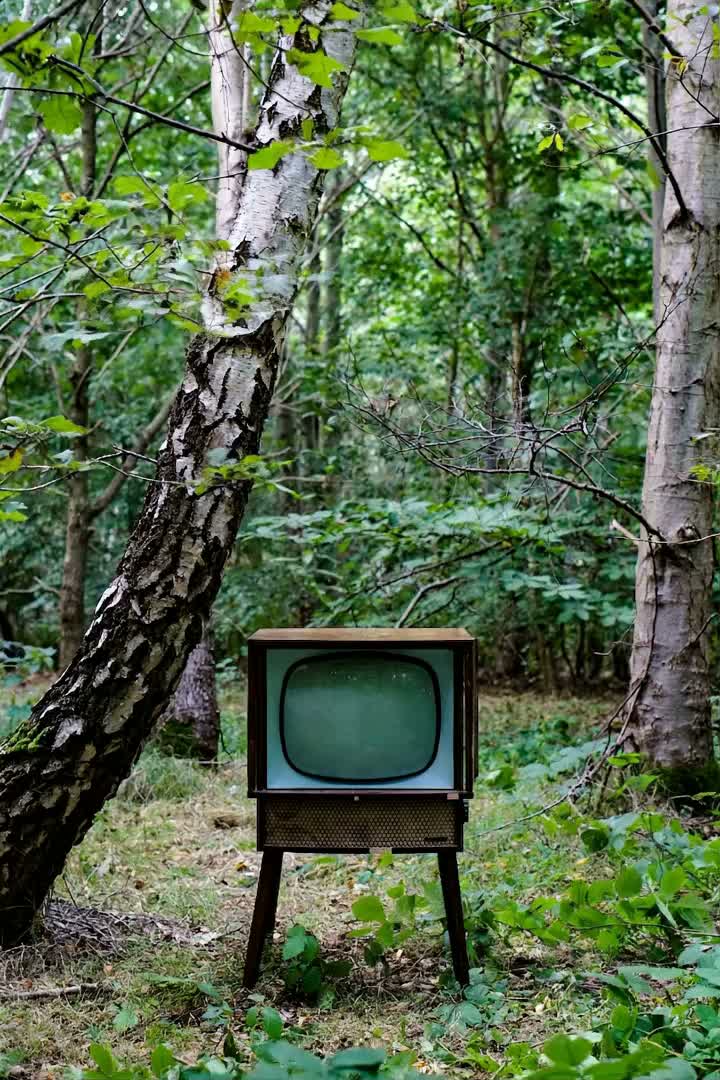
- Video Viewer (Y2K computer fights pre-digital forest)
Genre Matches
Songs that benefit from Digi Diary clips:
- Indie folk (Big Thief, Phoebe Bridgers, Adrianne Lenker lane)
- Bedroom pop with outdoor lyrics
- Country and Americana
- Cottagecore-adjacent pop
- Singer-songwriter ballads
- Nature-themed lyrics specifically
- Memorial songs
- Holiday songs that lean warm (Thanksgiving, summer-evergreen)
Songs that don't:
- City-coded music (use Archive Cities or Darkframe53)
- Late-night music (use Darkframe53)
- Y2K / nostalgic-internet (use other collections)
- Surveillance / liminal (use Backroomsxcore)
How to Pick Clips Within the Collection
If you're filling 5+ slots for a Slideshow or Pinterest Feed, don't just pick the first 5 clips. Pick to make a sequence:
By time of day
- Golden hour clips together for the chorus moment
- Overcast clips for the verse moment
By subject
- All forest stills for one section
- All water clips for another
- All sky clips for a third
By depth
- Wide horizon shots establish the world
- Mid-depth shots place you in it
- Tight closeups land emotional beats
Match the visual sequence to the song's emotional arc and the lyric video gains structure.
Settings That Work
When using Digi Diary clips in any template:
- Avoid heavy color grading on top. The collection's palette is already cohesive. Adding a strong filter (cool grade, high-contrast crush) fights the source.
- Don't push saturation up. Digi Diary's gentle saturation is the point. Bumping saturation makes it look stock.
- Slight vignette OK. A 5-10% vignette warms the corners without disrupting the color.
- Film grain works well. Especially with Home Movie or Mixtape templates — the grain compounds the warm vintage feel.
A Use-Case Walkthrough
Let's say you're shipping a folk single called "August Light." Steps:
- Open Epitrite, new project, upload audio.
- Paste lyrics, AI transcribe.
- Pick the Home Movie template.
- Open BG panel, switch to Library tab, pick Digi Diary Archive.
- Drag a golden-hour forest clip into the inner-video slot.
- Set the date stamp to AUG 14 '94 (or the year that makes sense for the song).
- Set the inner-video filter intensity to 0.8 (so the source warmth isn't crushed by sepia).
- Preview, export 9:16.
8-10 minutes total, shipping a folk single that visually reads like a memory, not a stock B-roll.
Common Questions
Is Digi Diary Archive free?
Yes. All Creator Library collections are free to use on every plan, with no source watermark on the footage. (Free exports still carry the small "Made with Epitrite" credit, which Pro removes — that's separate from the Library.)
Who is Digi Diary Archive?
A creator-led archive. The creator is credited in the library UI with their listed handle. You can tag them in your caption if you want — appreciated but not required.
Can I use Digi Diary clips outside Epitrite?
No. The license is for inside-Epitrite use only. The clips are signed-URL protected on the storage side.
How often does the collection grow?
The creator adds clips periodically. New clips appear in the library when they sync. You'll see them at the top of the collection.
Can I save Digi Diary clips to my favorites?
Yes. Hit the heart icon in the library. Saved clips appear in your favorites tab across all projects.
What if I want different nature footage that's not in Digi Diary?
The Iqbal Archive has some adjacent outdoor work (more travel / city-with-nature mix). Beyond that, the Creator Library is opinionated by design — for very specific nature footage outside the collection's range, Pexels or your own uploads fill the gap.
Takeaway
Digi Diary Archive is the collection you reach for when the song wants to feel warm, outdoor, sunlit. Forest, water, golden hour, dappled light. Pairs hardest with Home Movie, Slideshow, and Country Postcard. Skip when the song is cold, urban, or surveillance-coded — Darkframe53 and Backroomsxcore are the right calls there.
Browse Digi Diary Archive in the Creator Library — free on every plan.
Stop guessing what to post
Build a practical plan with hooks, captions, on-screen text, recording directions, and editable video projects.
Plan My Content