Changelog
everything new in epitrite.
new planning tools, recording workflows, templates, editor upgrades, and fixes. newest first, in plain language.
Pro messages in your language
After exporting a video, Pro benefits and the upgrade button now follow your app language.
Sync word by word
Play your song, then tap or press Space for each word. Switch to Phrases to time whole lines.
Recover deleted clips
Deleted Release Pack clips now appear in Trash, where you can restore them within seven days.
Starlight Word
Thin white words glow one at a time, with soft light streaks that follow each vocal hit.
1 new template in the picker
Thorn Split
Tall white phrases spread across the frame, then cut to red scratched accents on the vocals.
1 new template in the picker
Doodle Pop
Handwritten lyrics jump between colorful outlines and playful layouts, timed to your vocals.
1 new template in the picker
Smoother editing
Audio cuts, project filters, and campaign forms are now more reliable.
Mirror Cut
Purple words cut to the vocals with a mirrored reflection below. Short words grow larger.
1 new template in the picker
Use your Epitrite videos in Publisher
Choose finished Epitrite videos for single or bulk posts. Account photos and platform icons help you recognize each destination.
Feedback board
Help shape Epitrite. Suggest improvements, request features and discuss ideas with other musicians.
Feedback boardDownload all Release Pack videos
Download all finished videos in one ZIP from the top of your Release Pack.
Community
Find your spaces and conversations in the sidebar. Search channels, check pinned messages, and invite musicians into a private space.
Join spacePayment alerts
If a payment fails, a notice appears when you sign in and helps you pay again.
Community
Share projects, lyric videos and your own templates in Community. Message musicians or invite a group to a private conversation. Translate messages in Community on your device in supported desktop browsers.
Join spaceFaster previews, clearer exports
Try the sample in one click. Check your render balance, shift lyrics with their words, keep your template choices, and review finished versions privately.
Try the sample song14 days free
Card required before the trial starts. Then $19.99/month. Cancel anytime. First-time Pro offers end October 31, 2026 ET. Pick one; they can't be combined.
More dependable saves
Temporary save failures now retry automatically. Cleared settings and deleted text stay cleared when you reopen a draft.
Save and return to your project
Longer timelines now save correctly. After resetting your password, you can return to the saved project you opened.
Scattered Type
Large words land in shifting positions, then cut to the next phrase over your footage.
1 new template in the picker
Dual Phone
Two phones on a wooden desk. Lyrics play on the top screen and your video plays below.
1 new template in the picker
Project Editor
Tap a clip to edit · Pinch to zoom
Pink Replay
Pink Replay now follows vocal pauses, emphasizes one word, and gives each phrase more time to read.
1 new template in the picker
Keep creating with less setup
Phone preview controls are easier to use, lyric shortcuts stay in the right place, and you can start another draft from a finished video with your song and edits carried over.
Easier editing and saving
Autosave can run while you keep editing. New accounts see Lyrics and Style shortcuts above the preview once.
Editing improvements
Resizing audio keeps playback running. Press ? to open Help.
From preview to export
A reminder after preview helps you find export settings. You can dismiss it and keep editing.
Hidden Message
Random letters disappear to reveal your lyrics inside a blue message bubble, with replies underneath. Works with or without video.
1 new template in the picker
Golden Phrase
Small white words build into larger gold phrases, timed to your lyrics over your footage.
1 new template in the picker
Saving and editor fixes
Projects with uploaded songs open correctly. Saving retries when you return to the editor.
Start Pro for $1
$1 · first month. Then $19.99/month. Cancel anytime. For eligible first-time Pro subscribers. Card required.
Clean version
Select words to mute or bleep in a separate copy. This silences instruments too. Listen to every edit; timing may be estimated. Selected lines lose translations; background video is muted. Uses one project slot and your usual export limits.
Start with your song.
Start with your music. We’ll guide you through the setup, then ask for a free account when you’re ready to render a video or generate a plan.
Start a new draftExport your chosen layout and keep editing with confidence
Square exports now use the shape you chose without changing the saved project, and Pixel Karaoke follows timeline cuts and transitions with song audio. Pixel placement, animation, and lyric colors respond to your controls; Retro TV respects font size, Y2K and Pixel toggles stay saved, and Japanese and emoji have font fallbacks. Saving after export avoids false conflict warnings while protecting edits from another tab. Queue clearing matches the confirmation, downloads stay on Epitrite, and Release Packs check clip lengths, explain failures, and honor clip-reuse choices. First-use fixes add clearer recovery from project limits and media errors, keep Quick Clip lyric timings inside the audio, refresh export usage, and show each scheduled platform's time and status.
Open Lyric Video MakerLyric Video Maker is your home screen
Your projects, folders, and templates now live under the clearer name Lyric Video Maker. It opens after sign-in and comes first in the sidebar. Content OS is next when you want ideas, recording directions, and a release-week plan.
Open Lyric Video MakerPlan with Content OS; create in Lyric Video Maker
Content OS turns your music facts into a reviewable release-week plan using planning and drafting algorithms. Approve an idea, then create a separate editable project that opens in Simple Editor on desktop, uses the compact editor on smaller screens, and stays labeled in Lyric Video Maker without overwriting the source project. Your existing projects, folders, and templates remain available in Lyric Video Maker.
Open Content OSPlan, record, and edit with Content OS
Start a campaign from your music and release details, then review distinct video ideas with hooks, captions, on-screen text, creative directions, and recording steps. Approve what fits, put it on the schedule, or build an editable project with the planned text and clip placeholders ready to replace.
Open Content OSThree new short-form lyric treatments
Daily Schedule puts your own clips inside a bubblegum schedule card, Red Scrawl writes thin handwritten phrases in time with the vocal, and Cutout Chorus assembles colorful mixed-font paper letters word by word. The reference performers and footage are not included. Fonts, size, color, placement, animation, spacing, and template-specific details remain editable in Style.
Browse templates3 new templates in the picker
Three new footage-led lyric looks
Bleed Through, Big Words, and Wavy are now in the template picker. Each uses your footage inside a cinematic letterbox strip: Bleed Through builds a compact poster-like phrase word by word, Big Words lands oversized editorial lines, and Wavy bends each lyric in a restrained up-and-down wave. Their fonts, size, color, placement, motion, spacing, and effects remain editable in Style.
Browse templates3 new templates in the picker
Create faster in Simple, with complete scene controls
New desktop projects open in Simple with Format, Background, Look, a live Preview, Templates, a lyric card, and a larger Scenes strip visible together. Add a video or image from your device or Library, select a scene to jump to it, drag to reorder, replace from either source, or delete it. A dedicated Simple tour explains the workspace, and you can switch to Advanced at any time for detailed lyric timing, styling, audio controls, and the full timeline. Existing projects without a saved editor mode continue opening in Advanced so complex edits are never hidden.
Start in SimpleUpload large media with smaller files and resumable transfers
Large audio and video files now use a resumable upload, so a brief connection interruption does not always mean starting over. Epitrite reduces oversized JPEG, PNG, and WebP images before upload when the smaller result preserves the file's behavior, leaves animated GIFs untouched, and converts large WAV or FLAC audio only when the MP3 is meaningfully smaller. If the connection drops near the end, Epitrite checks the upload and retries temporary service errors before asking you to start over.
Open MediaRecover a protected Try draft and finish web exports in the cloud
The Try editor can save an opt-in encrypted checkpoint in this browser, then offer to restore the text and styles after a refresh. Project and Release Pack exports run in Epitrite Cloud on every web plan, where rendering can continue after you close the tab and the finished files land in Queue.
Try the editorDownload and recover complete Release Packs from Queue
Release Pack history now loads immediately and every pack has a download hub in Queue. See the status of every video, download ready files individually, stream the complete pack as one ZIP, or split a large pack into smaller ZIPs with a contents list. Ready videos stay downloadable even when another item failed or is still processing, so one problem no longer hides the rest of the pack.
View Release PacksMix beat sections and reuse them in Release Pack
Create multiple Beat Sections in one timeline, each with its own Start, End, and Every 1, 2, 4, or 8 beat cadence. The marker lane shows all saved section patterns together while unconfigured ranges start at Every 4 beats; manual markers always stay visible. When Beat Sync is on, Use each project's saved cut pattern carries the source project's exact clip boundaries, mixed beat cadences, gaps, and transitions into its Release Pack versions. Sources without a saved pattern safely fall back to their own BPM. Translation treatments and templates only go to songs with the requested language saved, the card names the language actually used, and cover-art-only templates stay free of random footage.
Open Release PackCreate one project or a complete set from timed song sections
Audio Slicer can now turn any Groq-timed Verse, Chorus, Bridge, or other tagged section into a project in one click, or create several selected sections as a batch. Type exact Start and End times on every result, then add the artist, song title, and album cover once for the whole set. Epitrite trims every section into its own audio asset, carries only the lyrics inside each cut, starts every line and word at 00:00-relative timing, and reuses the shared release details across the batch. Progress stays visible, successful projects are never recreated, and failed sections remain ready to retry.
Split a song into projectsTwo new reference-led templates for retro music visuals
Cloud Archive recreates a square early-web silver player on black, with cloud sky, editable play counters, customizable lyric fonts, treatments and placement, a 0:02–0:13 cue window, and the source caption left out. Broadcast Replay recreates a purple 4:3 direct-response TV board with a price rail, order prompt, vanity phone line, guarantee badge, VHS texture, and a small karaoke-build caption through 0:17. Both expose their labels, colors, footage timing, lyric behavior, zoom, and texture in the Style tab.
Browse the new templates2 new templates in the picker
Publish completed exports directly to TikTok
TikTok Direct Post is now available on Pro. Connect TikTok in Settings, open a completed cloud export, review the privacy choices available on your account, complete the required music and commercial-content disclosures, and confirm the exact post before sharing. Direct YouTube publishing remains available too; Instagram still uses the downloaded MP4 for now.
Connect TikTokInspect and change the exact videos in your Release Pack
Release Pack Review now shows the exact videos Epitrite will create. Inspect each video's format and translation treatment, and change its template, typography, or planned clips before anything is created. Then render the pack you approved.
Review Release PacksAdd beat markers and shape clips on a magnetic timeline
Add editable beat markers directly on the audio waveform, then use Snap to align background clips and boundaries, lyrics, template segments, timed text overlays, the playhead, or split points to the cues you choose. Build sections independently: set 0–5 seconds to Every 4 beats, 5–7 seconds to One clip with no beat cuts, and 7–10 seconds to Every 2 beats. Choose a transition and duration for each range, and use Fill Again only when you intentionally want to regenerate that range. Manual markers, Snap, and ordinary clip editing are free; Detect Beats, Fill on Beats, Fill Again, and reroll are Pro automation.
Learn beat markers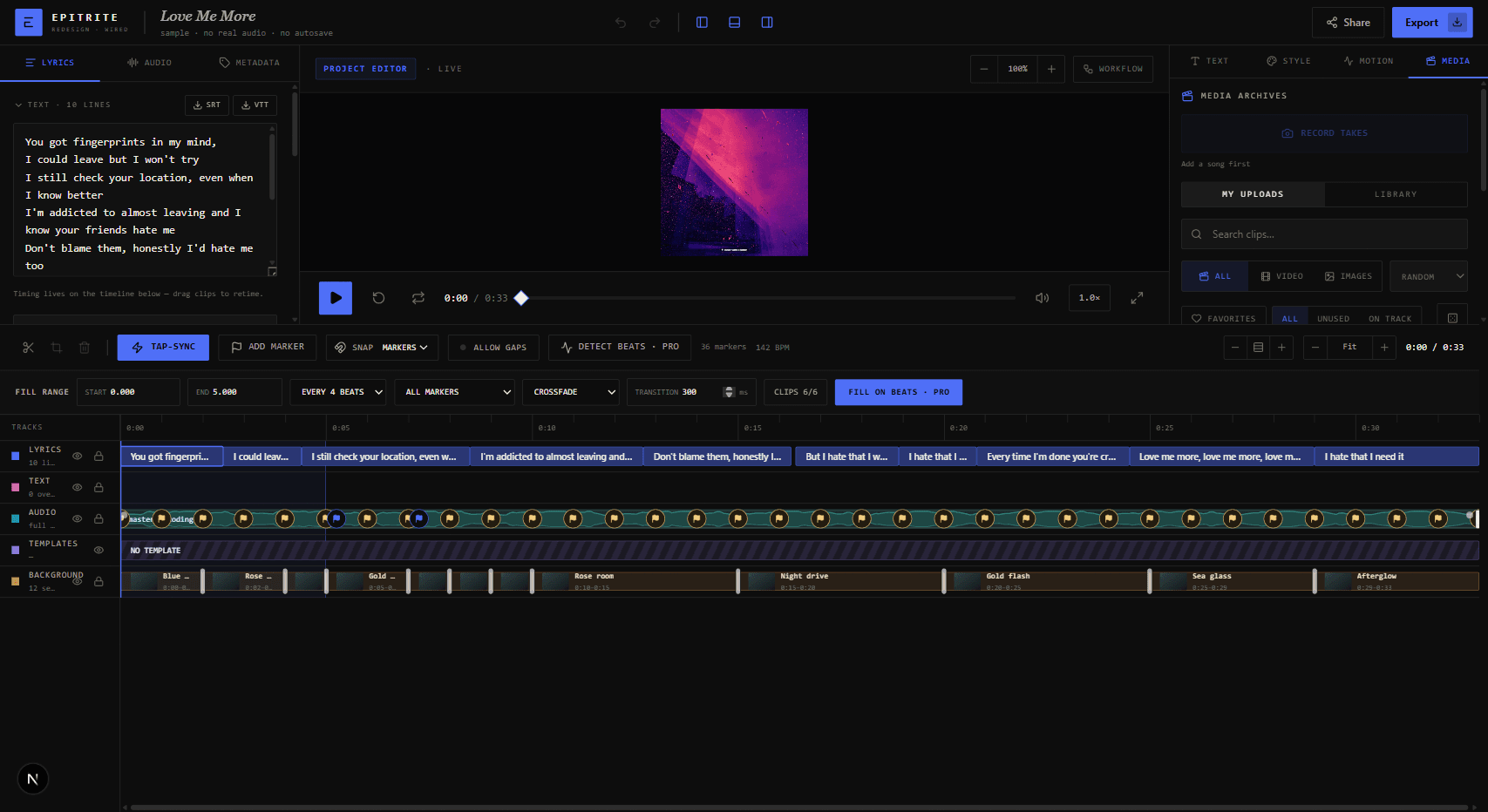
Start Pro for $10 and publish directly to YouTube
Eligible first-time subscribers can start Pro for $10 for the first month, then $19.99/month unless canceled from Settings → Billing. A card is required. Pro can also upload completed cloud exports directly to YouTube after a final review. TikTok Direct Post launched on July 31; Instagram still uses the downloaded MP4. The notification inbox, optional web push, artist referrals, Websites workspace, and emailed Release Day Checklist are now part of the release workflow too.
Save template versions + a truly random Creator Library
After you tune a template in the Style tab, choose Save Version to keep that exact look as a separate, reusable snapshot. Versions are numbered automatically, the original template stays untouched, and your saved look is available from Saved for another single export or from the Saved filter in Release Pack. Release Pack's All media pool now samples across the whole eligible library instead of favoring recent uploads. The Creator Library now offers 1,052 original visuals, including 732 videos, and the new 23-video Munch 404 archive links back to @munch.404 and every original post.
Public artist pages for every fan, with a clear Free and Pro email split
Published artist pages can be opened by anyone without an Epitrite account, so fans can see your music, videos, links, and signup form directly. Fan-email colors, wording, live preview, creator-owned list, and CSV export stay on Free, along with 1 manual campaign each UTC calendar month to up to 250 eligible fans. Pro adds Automatic release emails from a confirmed Apple Music catalog and higher manual limits: up to 3 manual campaigns per rolling 24 hours and 5,000 recipients across them. Downgrading turns off automatic checks without deleting your fan list or saved email design.
Customize your artist page and fan emails
Choose your artist page's background theme, accent color, and layout with a live preview, then give release emails their own colors, headline, message, button, and signoff. Your stage name and profile picture now appear in the Epitrite sidebar too. Manual release links let you review the details and fan count before sending; Pro can also watch a confirmed Apple Music catalog about every six hours with a no-send baseline. Neither path needs Spotify Premium or Spotify developer credentials. Optional Spotify links can still power public page embeds, and fans can unsubscribe from one artist without changing unrelated Epitrite emails.
Announce Spotify releases, record takes, move footage, and export with confidence
Your artist page can show Spotify releases, feature finished Queue videos, and collect a creator-owned fan list. Automatic release emails use your confirmed Apple Music catalog, save current releases as a no-send baseline, and let you paste a release link when needed; fans can unsubscribe from that artist without changing unrelated Epitrite mail. In the editor, the earlier timing workflow from this release is superseded by the July 25 waveform-marker timeline. Record Takes includes a performer-only teleprompter plus a camera-mirror control for consistent previews and saved takes, and Footage Motion adds repeatable movement, grades, and fades. Before a full export, preflight can flag project issues; Queue guides recovery and offers a protected phone handoff for completed cloud renders.
Timing workflow superseded by waveform markers
This earlier timing workflow is superseded by the July 25 waveform-marker timeline, where markers are editable cues and only explicit snapping or range Fill changes the video.
Record takes, move footage, upgrade your artist page, and export with confidence
Record camera takes against your song in the web editor, keep every take in your Media Library, and remix uploaded performances into beat-cut clips that stay aligned to song time. Make my footage move adds repeatable motion, per-clip grades, and fades. Artist pages can show Spotify releases, collect a creator-owned fan list, and feature completed Queue videos. Export now checks the project first, guides recovery after failures, and securely opens completed cloud renders on your phone.
Field Type and Night Drive Type bring projected lyric words to your footage
Two new vertical templates built from separate reference-video treatments land in the picker: Field Type flattens huge distressed lyric words into footage like eroded stencil paint on the ground, while Night Drive Type layers tiled translucent ghost words with red handwritten emphasis over dark car and road footage. Both include cut speed, perspective spread, motion smear, ghost opacity, distress, and color controls in the editor.
2 new templates in the picker
Four new templates, more Clips sources, and larger Quick Clip files
Quick Clip and Epitrite Clips handle more starting points, including MOV uploads, library audio, selected visual media, source-video visuals, and moodboard-style image clips. Quick Clip can accept audio files up to 200MB too; files over 30MB skip waveform and beat analysis when needed, but can still continue from duration when they are short enough. If a file is too large and too long to trim safely, Epitrite says exactly what to do instead. The editor also recovers more gracefully when a panel crashes or needs a fresh reload. Four templates joined the picker too: Dictionary styles your song title like a dictionary entry with the lyrics typing out as the definition, Player Scatter drops movable mini music-player cards over your footage, Panel Collage adds a big scrolling lyrics panel alongside those cards, and Strip Stack stacks a fresh widescreen strip of your video for each line until the screen fills. Every color, font, size, position, and card stays yours to move and tune.
4 new templates in the picker
Exports now finish in the background — close the tab and grab them from your Queue
Exporting just got a lot less painful. When you hit export, Epitrite can now render your video on our servers instead of tying up your phone or laptop. You still get a live progress bar, but you don't have to sit and wait — close the tab or keep working on something else, and your finished video lands in your new Queue when it's ready. There's now a Queue button right in Lyric Video Maker to check on renders and download anything that's done. Web exports now use this cloud flow on every plan. Free includes 3 cloud renders each month; Pro includes 20, with optional packs of 10 more for $5.
Template vibes, a picker that knows your genre, and hook ideas after export
Picking a look is easier now. Every template has a short vibe line telling you what it's for and what kind of song it fits, so you're not guessing from a thumbnail. The picker can also sort itself around your sound: tell Epitrite your genre and it floats the looks that tend to land for that style to the top — tap any one to open a details sheet with the vibe, what moves on screen, and whether it wants your footage or runs fine on a solid color. And once you export, Epitrite hands you a few copy-paste hook ideas for the caption or on-screen text, written in plain fan-facing words, so you can post the clip without staring at an empty caption box.
Your first project now gets Pro features for free
Free accounts now get their first project unlocked with Pro-level tools automatically. Your first project can use Beat Sync, Audio Reactive looks, Beat Mosaic, custom fonts, 4K export, and watermark-free exports without upgrading. Free includes 3 cloud renders each month, and each completed output from the unlocked project uses one of them. Failed or cancelled renders are returned. The unlock belongs to that project only, so your next project still follows your current plan unless you upgrade.
Try Light Mode, six new lyric looks + clearer Release Pack timing
Prefer a brighter workspace? Lyric Video Maker now has a Light Mode switch beside What's New and notifications. Night Mode is still the default, and Epitrite remembers your choice. Six new templates are live in the New tab: Spectra, Sticker, Caption Pop, Ink Bleed, Annotation, and Track Card. They are made for fan-facing lyric clips that still feel like yours: drop them over your own video or keep it clean with a solid-color background, then tune the colors, fonts, size, position, cover-art details, and other style controls until it fits the song. The Media tab is easier to browse now too: All Files opens in a random order, with extra sorting plus Favorites and On track filters. Release Pack also deals All library clips from a broader randomized pool, so the newest archive does not crowd out the rest of your creator visuals. Template cards now show Fast, Standard, or Longer render estimates, with a hover-or-tap explanation and a speed filter in Release Pack when you want quicker batches. The render queue keeps those labels visible while exports run, and waveform templates now use your song's actual waveform instead of a generic pattern. The speed notes are estimates for cloud exports, so bigger batches can still take longer while Epitrite prepares media and moves through each video.
6 new templates in the picker
Trend Aura is back in the template picker
Trend Aura is back as a rapid found-word look: each lyric lands inside a highlighted paper clipping, with editable cut speed, held-word cuts, variation, colors, and blur. It opens in a vertical canvas by default, but you can still export it in any shape.
1 new template in the picker
The “Made with Epitrite” credit + a big Release Pack cleanup
Free exports now carry the little “made with Epitrite” credit so fans can find the tool you used — and Pro drops it completely. Release Pack also got a pile of fixes: templates with a profile picture now use your account photo automatically (unless the song already has one), Story Waveform finally shows its waveform and cover art, Lockscreen Music and Floating Music Player show your cover art in the little square, and Old Web Player fills its video thumbnails and its feature box with your cover. Templates that play your footage — like Blurred Lyrics and Chat File — now use all the clips you add instead of just one. The Moodboard look scrolls smoothly instead of jumping, Curved Lyrics words land on time on longer lines, Big Serif keeps its letters spacing out for the whole line, and Video Viewer sits on a clean black background. Today's fixes are here too: Fill on Beats now cuts Floating Music Player and the rest of the Template Ideas footage templates on the same beat grid as the timeline, and word-by-word captions stay closer to auto-transcribed timing when a sung word is split into tokens.
Refreshed Big Serif and Now Playing templates
Two template looks got a refresh. Big Serif is now a bold dark-pop editorial style — sections hard-cut between black and bright white with blood-red accent lines, giant serif lyrics that space out as they play, and a huge ghost word behind them. Now Playing is a cleaner streaming lyric card: the current line lights up while the rest dim and scroll on a solid black backdrop, with your cover art and your title and artist on the card. In the editor, the tab and open sections you're on now stay put when you reload, and removing a template no longer bounces you to the Media tab. The templates page and the picker also flag recently added looks with a New badge, so fresh templates are easy to spot.
2 new templates in the picker
Quick Clip now starts with every template
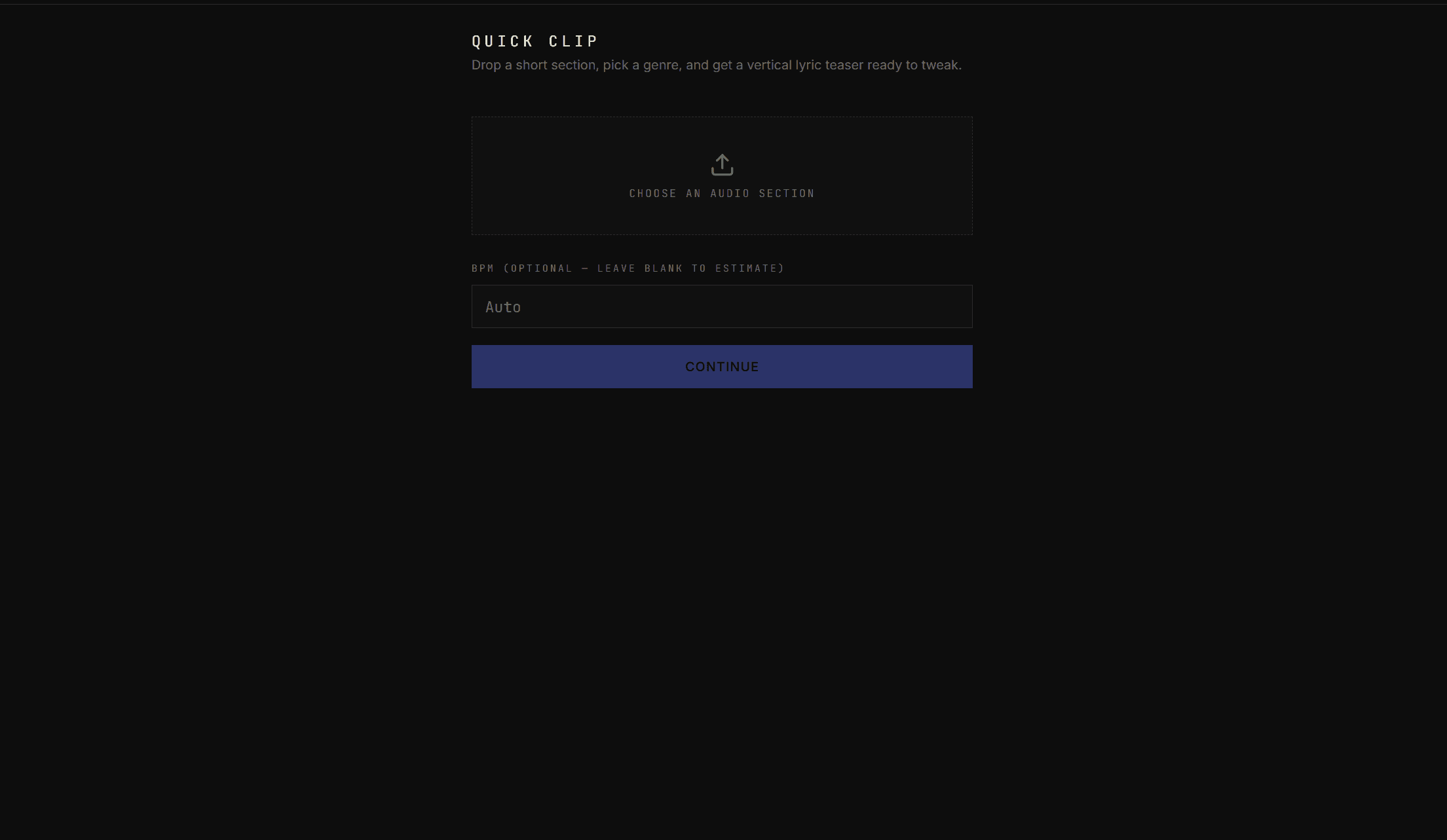
Quick Clip no longer makes you pick a genre before you see the looks. Drop in an audio section, browse every Quick Clip-safe template with real preview cards, keep All Templates selected or narrow with the optional genre filter, choose your media source, and use the pinned Create teaser button after you scroll. Beat Cuts is now labeled as a Pro feature before you try to turn it on.
8 new templates for cards, captions, and story layouts
Eight new templates are in the picker: First Accent for clean lyric type with a colored first word or letter, Floating Music Card for a 3D player-card look, Aesthetic Lyric Frame for letterboxed footage, Curved Lyrics for glowing bent words, Translate Card for bilingual lyric lines, Story Waveform for cover-art and waveform posts, Lockscreen Music for glassy player controls, and Old Web Player for retro captioned clips.
8 new templates in the picker
Blurred Lyrics is in the template picker
Blurred Lyrics is a new 9:16 template for huge word-by-word text over your footage. The backdrop blur is adjustable, the active lyric cuts through to a sharp version of the background, and you can choose whether the blur stays on all the time or only appears while lyrics are playing.
1 new template in the picker
Tap Sync fixes + Vapor Tunnel and Prism
Tap Sync is steadier in the redesigned Project Editor: lyric-only tapping now skips section headers and blank rows, the tap button stays lined up with the highlighted lyric, lyrics are locked while you sync, and undo, reload, and export controls behave more predictably. We also tightened save reliability, preview looping, conflict recovery, audio duration detection, and locked text layers. Two new cinematic templates are in the picker too: Vapor Tunnel for neon vaporwave word flashes, and Prism for huge see-through serif lyrics over your footage.
2 new templates in the picker
Quick Clip, longer uploads, and a redesigned Project Editor
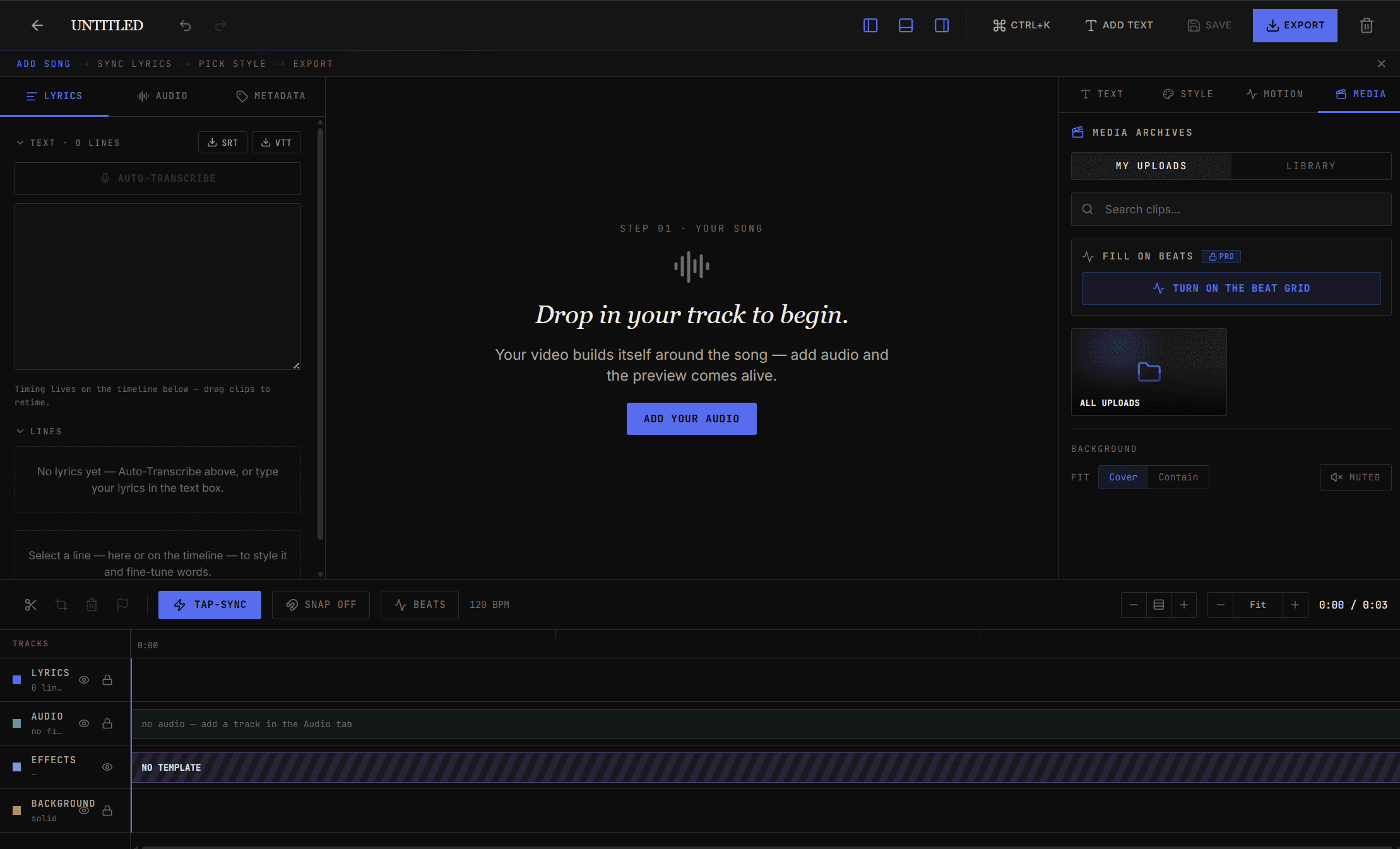
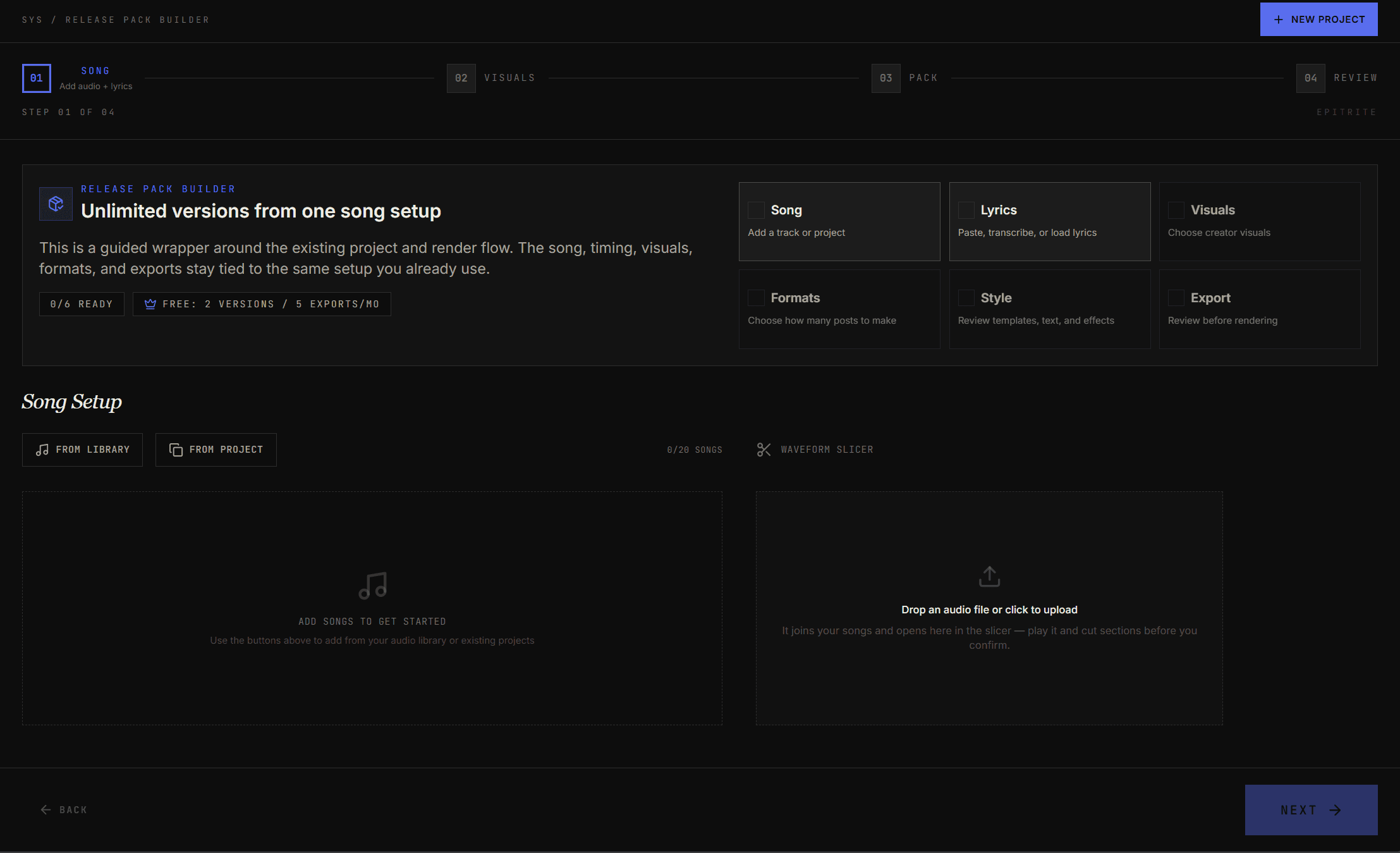
Quick Clip is now the fastest way to make a vertical lyric teaser: upload a short audio section, crop it on the waveform if you want, pick a template or optional genre filter, and Epitrite builds a 9:16 draft using your tagged uploads or the pre-uploaded creator library. Working from a full song? Epitrite now suggests its strongest short sections so you can jump straight to the hook — use one as your trim range, or turn the top 3 into separate edits in a single batch. Source uploads got bigger too: bring in audio up to 200MB and video up to 1GB, straight to your library. The Project Editor redesign is live, with clearer Lyrics, Audio, and Metadata setup, a larger preview workspace, TEXT, STYLE, MOTION, MEDIA, and WORKFLOW controls, plus a MEDIA tab for clips, Effects, and a library browser with media archive folders and full thumbnails. New in the editor, Detect & Apply to Clips cuts your video clips to the beat in one tap. And first-run now drops you straight into Quick Clip, with tips for Beat Sync and Tap Sync that only show up when you turn those features on. Release Pack Builder also gained a waveform slicer right in Song Setup: drop or upload an audio file and it opens on the wave so you can play any part and cut sections by hand before you confirm, with a moving line showing exactly where you're listening. Tap Transcribe and Epitrite reads the song's structure from the lyrics — naming Verse 1, Chorus 1, Bridge and more — so you can tap a part to load it, or pick several to turn into separate cuts — each one posts under your song's name, no timestamps in the title. The same one-tap section detection is now in the standalone Audio Slicer too, and lyric sync is cleaner: it no longer picks up stray "Music" tags or musical-note symbols.
Neon Stack and release-pack polish
Neon Stack is in the picker for giant red word-by-word lyrics over your footage. Release Pack Builder now makes the pack workflow clearer: add the song once, choose creator visuals, plan formats, style the versions, and review the pack before export. Cover art can carry its palette into album-art-friendly templates, saved translations can become translation-only or bilingual pack versions, and recent template render fixes make Chat File filenames and Neon Stack visual cuts match the preview more closely.
1 new template in the picker
Template Builder beta, Public Profiles, and Release Pack translations
Template Builder is now the creative home for custom lyric-video designs: start from scratch, remix built-ins, add lyric areas, media placeholders, shapes, motion, and submit templates for Marketplace approval. Public Profiles give creators a shareable handle page with their bio, avatar, links, and published Marketplace templates. Release Pack now has a clearer Template Mix with built-in, personal, and Marketplace templates, plus a Translations section that lets saved project translations become localized videos in the same batch. The tours were refreshed around that workflow, and What's New is now reachable from mobile too.
Arcade Homeboard + tighter Release Pack and timing fixes
Arcade Homeboard is now in the template lineup: a game-console dashboard with a Now Playing feature tile, lyric panel, profile tiles, and eight square media slots. Release Pack now knows that Arcade Homeboard needs all eight squares filled, can pull or reuse clips when a row has fewer videos, and lets you turn square videos off when you want the clean tile-only look. Beat Mosaic also got a readability pass: lyric squares scatter wider while staying out of vertical social controls, Word timing and Beat order keep every word visible, and Release Pack uses the same improved renderer. The editor picked up a few practical fixes too: the project conflict dialog buttons work, Audio Slicer title/time fields can be selected without reordering clips, and template media now resolves consistently between preview and export.
2 new templates in the picker
5 new templates + a bigger Creator Library
Five new looks landed in the template picker. Lock Screen turns your lyrics into phone-style notification banners stacking up on a lock screen — drop in a contact icon and your lines show up as alerts from that sender. Video Call stages your lyrics as live captions on a call, with a main video slot for the person you're calling and a self-view picture-in-picture for you. Music Player wraps your lyrics in a streaming-app player chrome with a big cover-art slot and a three-line rolling lyric. Voice Note turns your song into a phone-style voice recording with a pulsing waveform and your lyrics printing out as a live transcript. Comic Book Panels lays your video into a multi-panel comic page with hand-lettered lyrics, halftone shading, and a posterized comic filter. The Creator Library also grew — it now has 1,031 active assets across 14 active contributors, ready to drop into any template background or Release Pack in one click.
5 new templates in the picker
Moodboard Feed + a smoother project editor
Moodboard Feed is now in the template picker: a vertical mobile masonry feed with your own pin media, light and dark themes, a pulsing Save button, and three lyric modes: scrolling feed, focused pin, or search-bar typing. The editor also got a practical QoL pass. You can style one lyric line with its own font, size, color, and animation, then Apply to all when it feels right. Lyrics and text layers now have lock and visibility controls, text layers can be duplicated or matched to another layer's style, and templates can be removed so a project can go back to the default look. The lyric options panel scrolls properly now, and font picks stick when you click them.
1 new template in the picker
3 new templates + 1,031-file media library + better mix in Release Pack
Phone Message, Beat Mosaic, and Throwback Feed just landed in the template picker. Phone Message turns your lyrics into a back-and-forth text-message conversation with the camera zooming onto each new bubble. Beat Mosaic explodes each beat into a tilted square of video with a word inside it. Throwback Feed wraps your lyrics in an early-2010s social-feed look — caption, overlay, or comment-thread placement, with an optional cursed bootleg-meme mode for the unhinged version. The Creator Library now ships 1,031 original images and videos from small creators across 14 archives, ready to drop into Release Pack or a template background in one click. Release Pack's template mix now spreads your picks evenly across the row instead of clumping one template at a time, and the Lyric Video Maker and bulk grids paint much faster on first load.
3 new templates in the picker
Favorite templates + smarter Release Pack
Tap the heart on any built-in template to favorite it. The same favorites show up in both the editor's template picker and Release Pack, and they float to the top of the list everywhere they appear. In Release Pack's Template Mix step there's a new "Add favorites" button that splits your total video count evenly across your favorited templates, so a bigger Pro batch stays balanced without hand-counting. Favorites are saved to your account so they follow you across devices.
4 new templates + redesigned tours
Pixel Karaoke (arcade-style yellow wipe with combo popups), Home Movie (vintage camcorder with light leaks and date stamp), Mixtape (cassette-tape cabinet), and Slideshow (social-style sliding carousel) are now in the template picker. Pick one and your lyrics drop straight into the look. Onboarding tours got a redesign too — clearer copy, smoother transitions, and they highlight the right thing on the right step.
4 new templates in the picker
Audio Slicer + 6 new templates
Drop in an audio file or screen recording — we extract the audio for you — and chop it into sections by dragging the waveform, hitting Mark In/Out as it plays, or typing timestamps. Each slice saves to your Media Library as its own asset. Plus: six new lyric-video templates spanning Y2K, hip-hop, cinematic, and DIY zine vibes.
6 new templates in the picker
plan your next week of content
start with your music, release details, and posting pace. review every idea before it moves forward.
open Content OS